Safety leadership
Heads of safety, HSE directors, group safety leads. We focus on operational depth: live Alerts, Risk Signal, and the Insights surface powered by Overguard AI.
The demo is the full Overguard platform on a working demo site, and every workflow is the shipping product. Book a 45-minute walkthrough and we’ll drive it against the way your operation actually works.
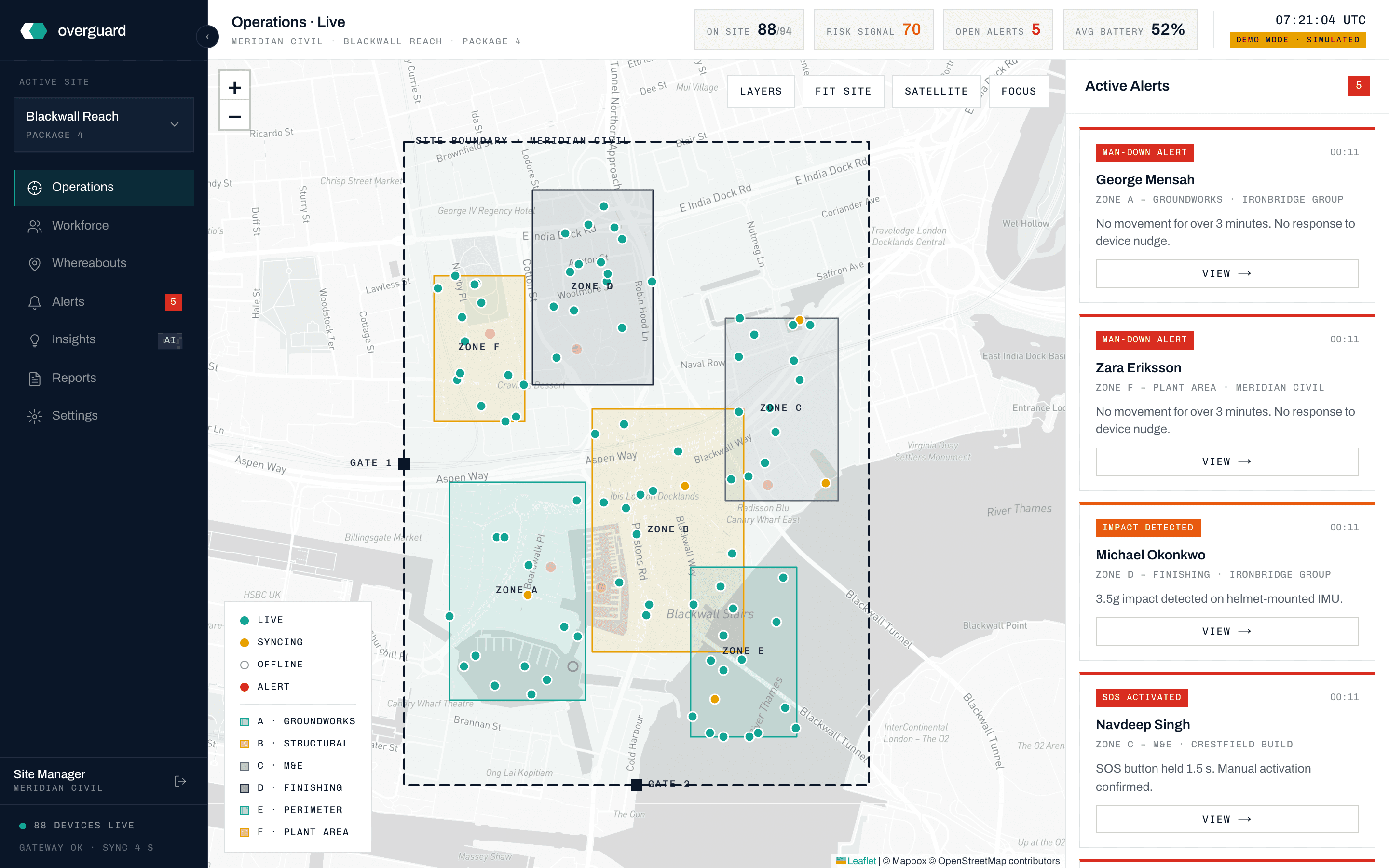
Demo data is generated, not recorded: a fictional workforce moving on a fictional site, with Alerts firing every few minutes. What you’re judging is the product: the workflows, the speed, and the way information lands.
The live site map: worker positions, zones, device states, and open Alerts for a London construction package.
Alerts fire on the demo site every few minutes. Watch one route from detection to acknowledgement while Risk Signal moves with conditions.
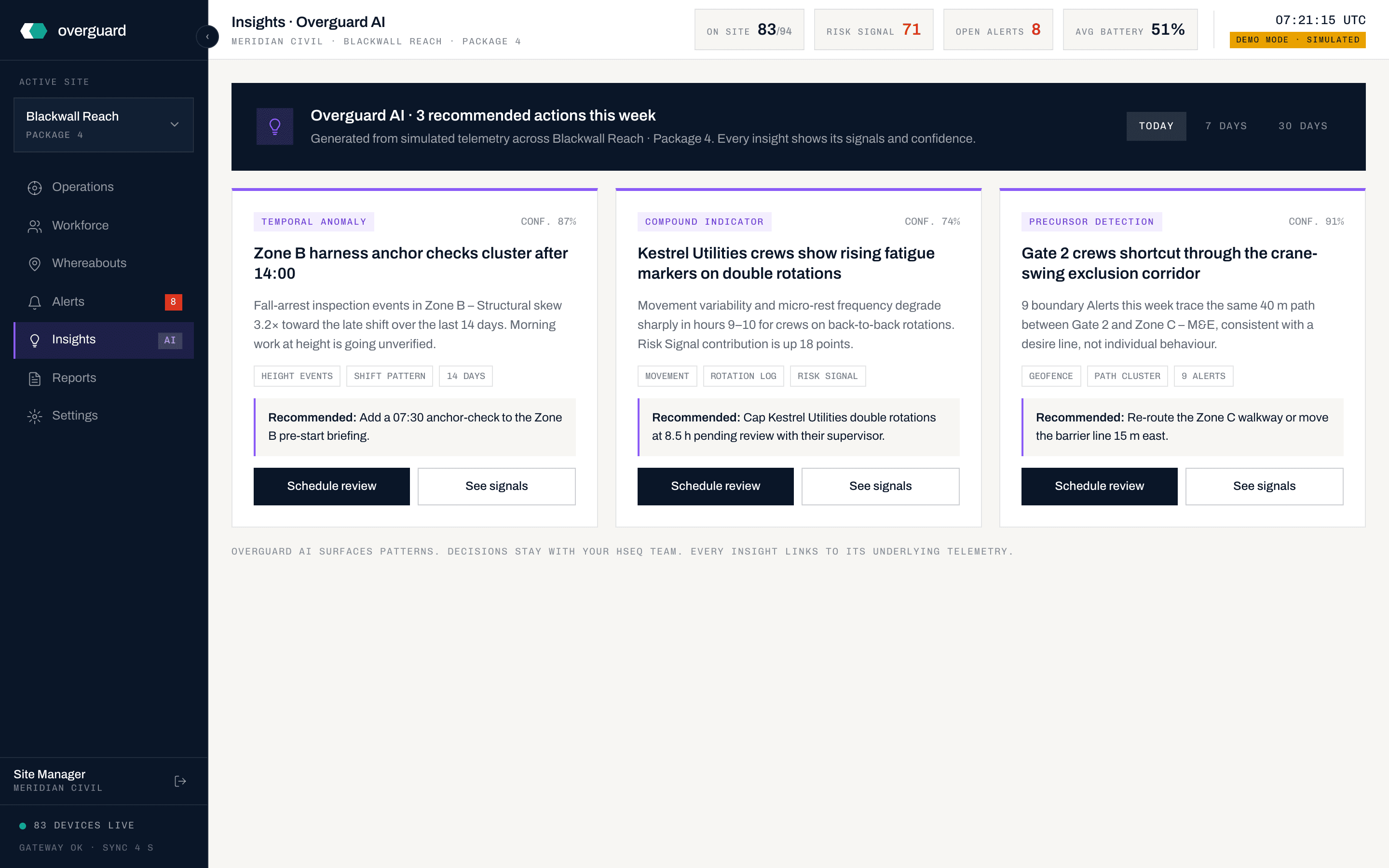
Overguard AI reads the patterns behind the Alerts and surfaces recommended actions, each one showing its signals and confidence.
The register that builds itself, Emergency Muster, and RIDDOR-compatible reporting assembled from live telemetry.
We don’t run sales pitches. We run technical sessions: you leave with the information you need to scope a pilot, or to politely tell us this isn’t the year.
We learn your sites. Geography, workforce shape, current safety stack, biggest gap. We don’t show slides. You tell us what you’re working with.
We share the operations dashboard and walk through Alerts, Risk Signal, Insights, and Reports against the demo environment. We answer questions as they come up.
We show Overguard S1: provisioning flow, mounting on a helmet, the LED status strip, the SOS interaction. On a video call, we use a live device on camera.
You bring the questions you came with, plus anything that surfaced during the demo. We close with one of three paths.
Heads of safety, HSE directors, group safety leads. We focus on operational depth: live Alerts, Risk Signal, and the Insights surface powered by Overguard AI.
Site managers, operations directors, programme leads. We focus on workforce visibility, muster scenarios, and rollout logistics.
If your procurement or IT team needs to see the platform separately, we run a second session on data flow and security posture. No charge.
If the platform fits your site, we move straight into pilot scoping. We agree the site, the workforce, and the success criteria within two weeks of the walkthrough.
If your team needs more depth (a security review or a multi-stakeholder session), we run a second 60-minute call with the right people in the room. No charge.
If your timing is months out (budget cycle, current contract running down), we keep you on the list and follow up at the right moment. We don’t chase.
If a form feels like overkill, write to us directly.